
Help centerDashboard and lifetime valueRevenue, dayparts and campaigns
Revenue, dayparts and campaigns
Under the tiles, three panels show where your revenue comes from, when it comes in, and which card earned it.
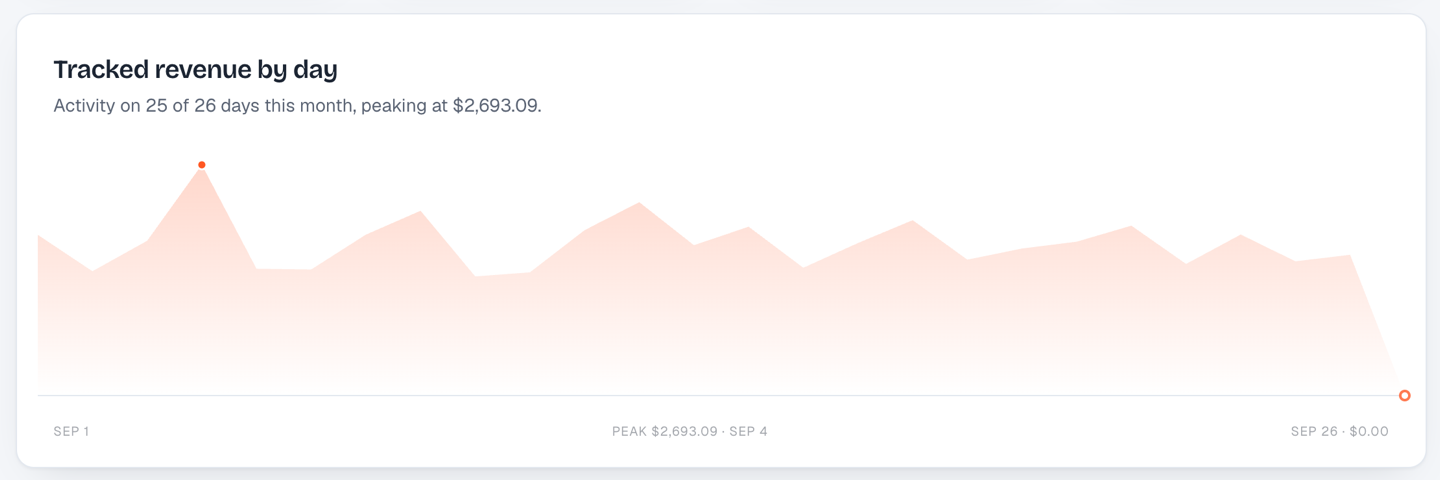
Tracked revenue by day
A day-by-day line for the period. The subtitle tells you how many days had activity and which day peaked. Use it to spot the effect of a push notification or a promotion: a good broadcast shows up as a bump within a day or two.
When guests walk in
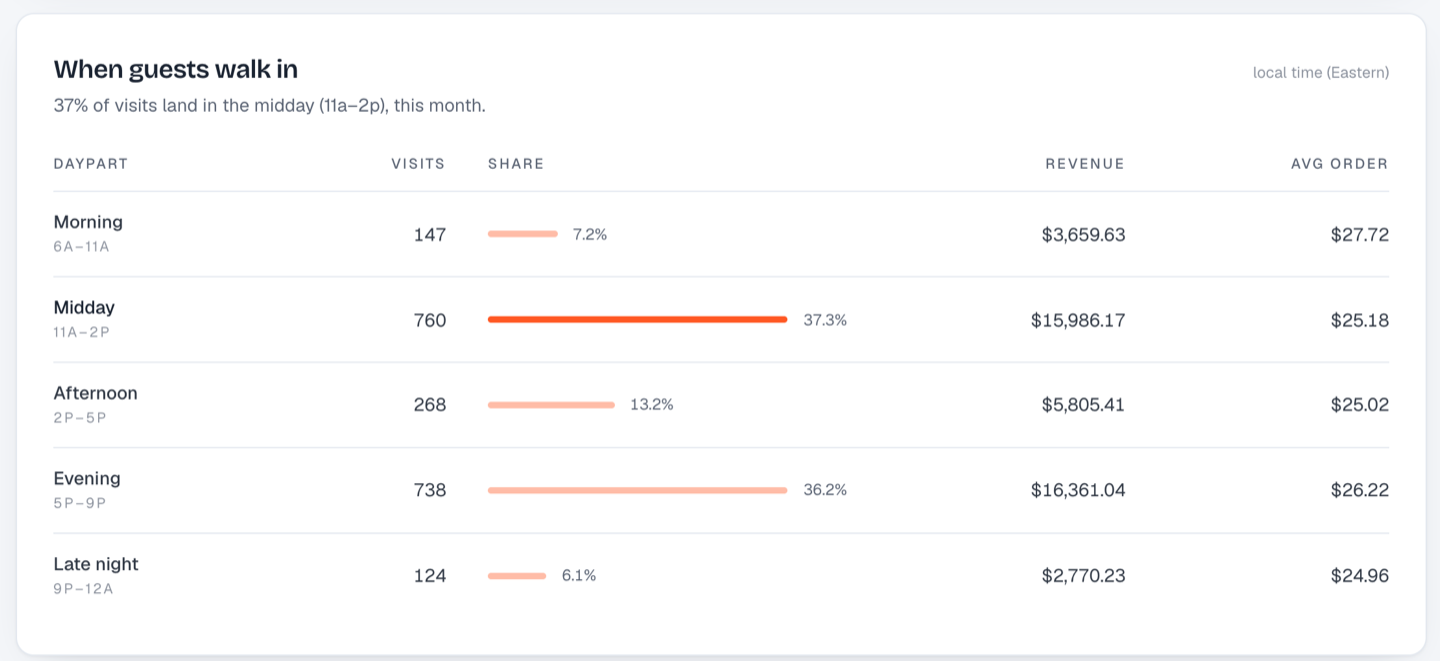
Visits, share, revenue and average order for each daypart, in store time: the clock at the store where each visit was scanned, not yours or the guest's. A 9 am visit in Calgary counts as morning, even for a brand based in Toronto. The label says which zone, like "store time (Eastern)", or "each store's own time" for a brand across time zones. Only dayparts that had visits are listed, so a store that closes at 4 pm won't show empty evening rows.
| Daypart | Hours |
|---|---|
| Morning | 6a to 11a |
| Midday | 11a to 2p |
| Afternoon | 2p to 5p |
| Evening | 5p to 9p |
| Late night | 9p to 12a |
The headline sentence tells you where visits concentrate. If evening has the visits but afternoon has the higher average order, that's a scheduling and staffing insight as much as a marketing one.
Campaign performance
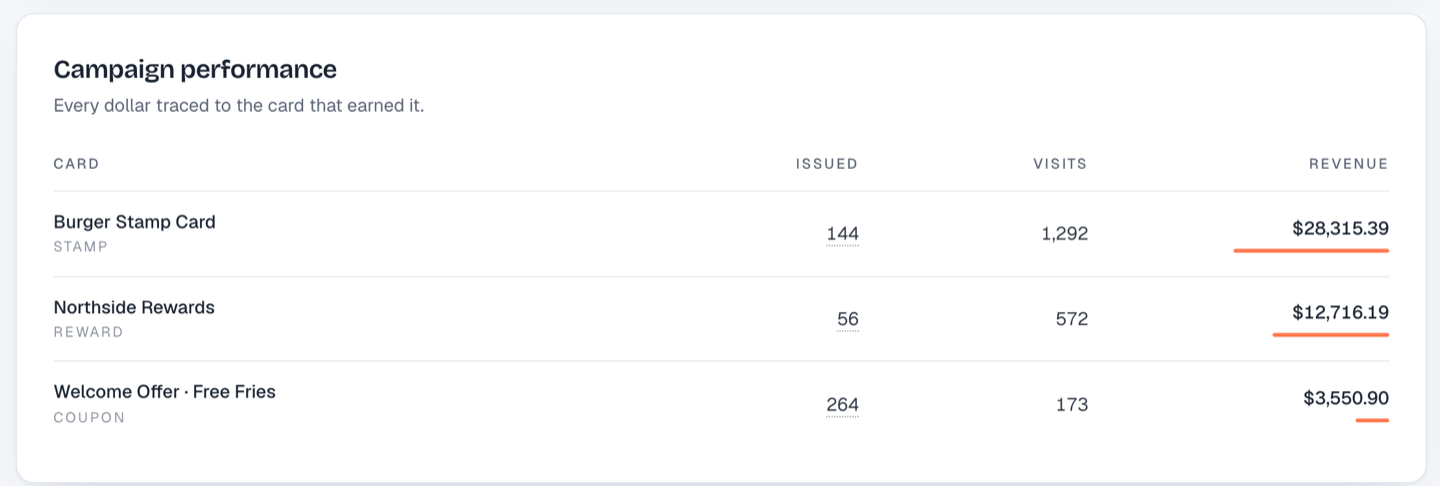
One row per card: how many were issued, how many visits they produced, and the revenue those visits generated. This is the panel that settles arguments about whether a coupon "worked". A coupon that issued 264 cards and produced $3,500 of tracked visits paid for itself, and the stamp card those guests moved onto is where the long-term revenue lives.
Still stuck? Email support@dinerondemand.com.