
Help centerPush notificationsBroadcast history
Broadcast history
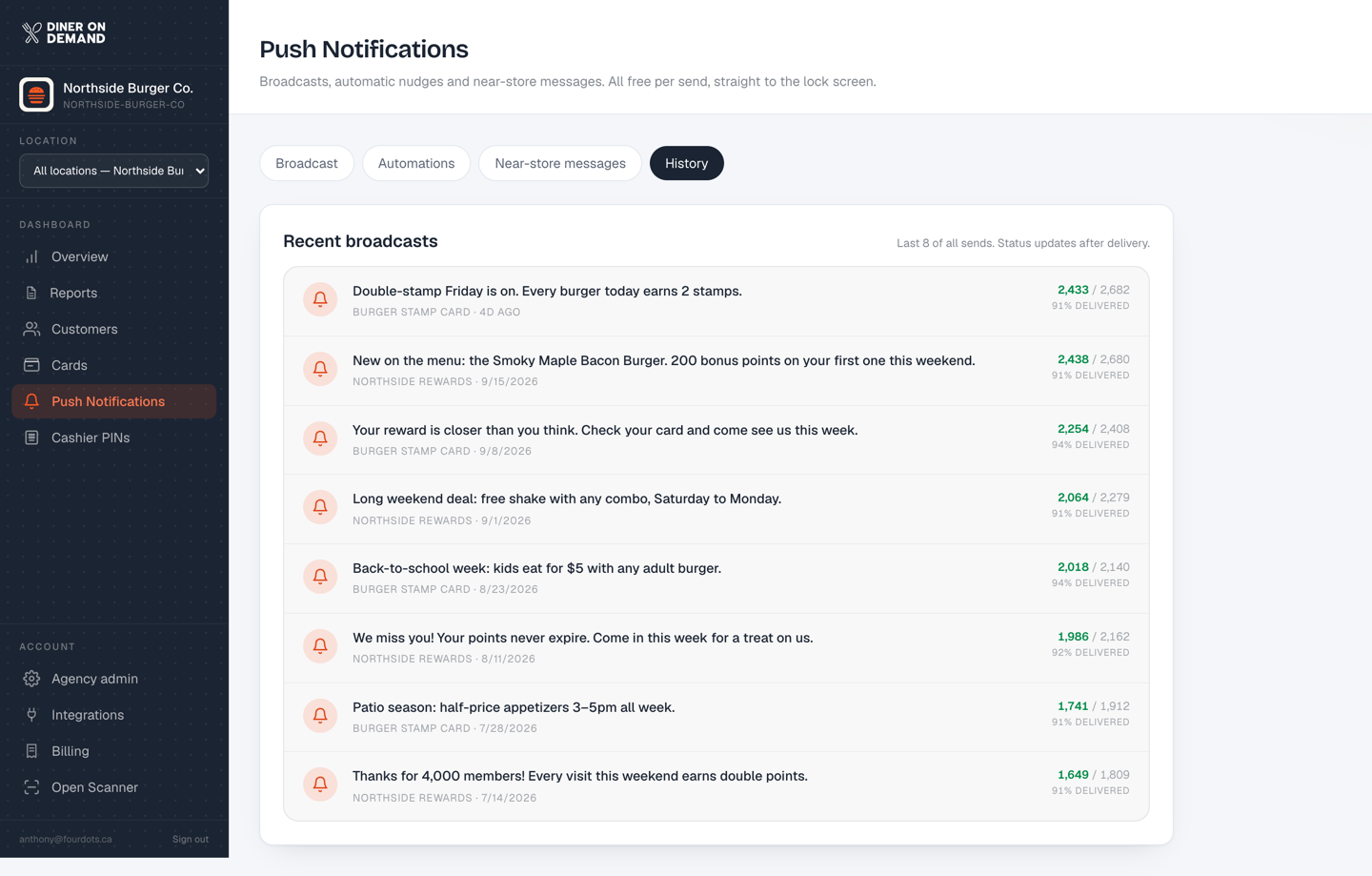
The History tab lists every broadcast you've sent, newest first, with the audience, the send time and how many phones it reached.
Reading it
- Reached is the number of phones the message was delivered to. It's lower than your member count because some guests uninstall a pass or turn off notifications.
- A message with a sharply lower reach than the ones around it usually means the audience was one card rather than everyone.
- To judge a broadcast, look at Tracked revenue by day on the Overview for the day of the send and the day after.
Reusing a message
There's no resend button on purpose. Copy the wording into a new broadcast and change the deadline, so guests don't see the exact same message twice.
Still stuck? Email support@dinerondemand.com.