
Help centerIntegrationsSending events to your CRM
Sending events to your CRM
Diner On Demand can send a signed message to your CRM or email tool each time something happens: a new member, a card installed, a visit, a balance change, a coupon redeemed. Any tool with a "catch webhook" address works: Zapier, Make, HighLevel, Klaviyo, or your own server.
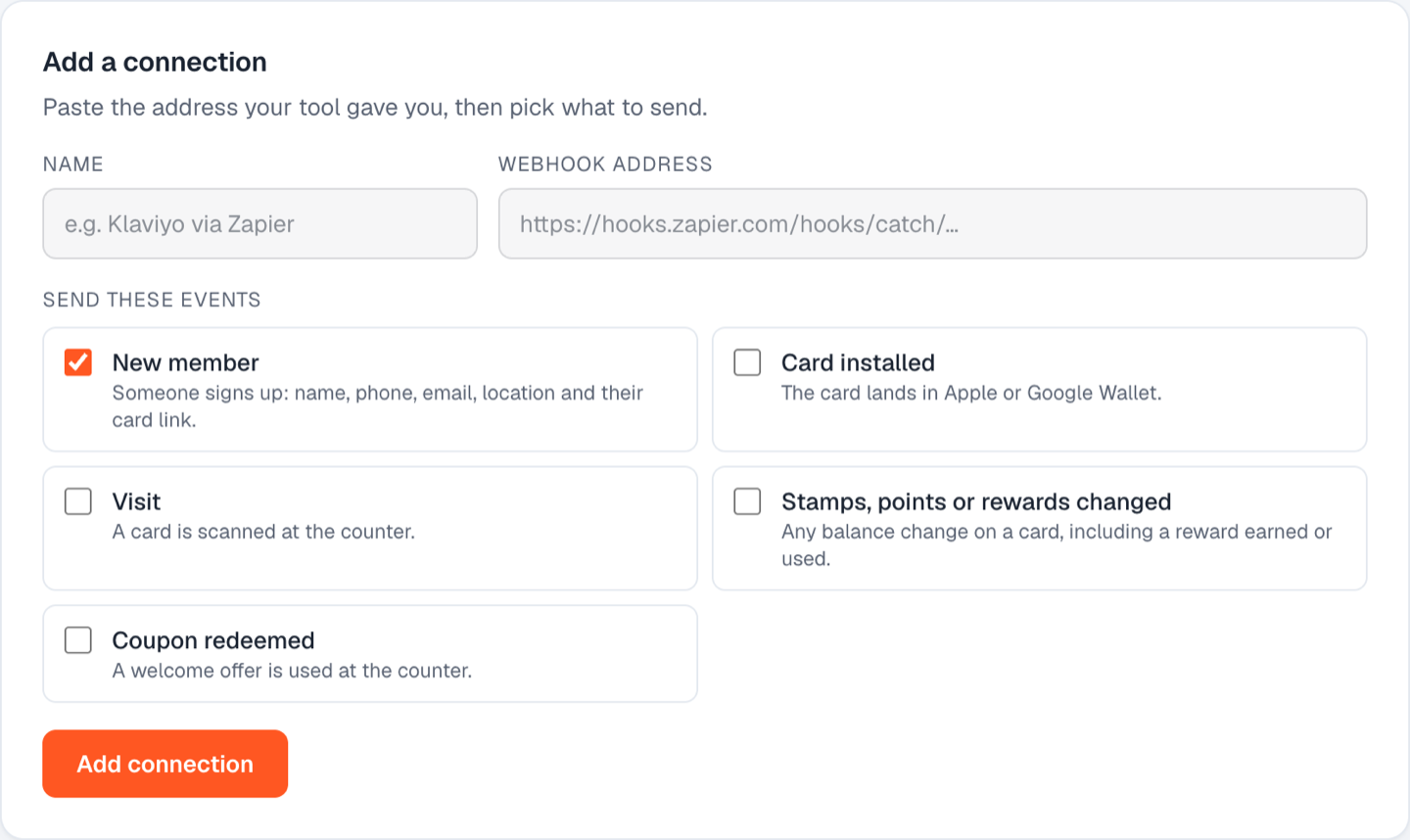
Add a connection
- Go to Integrations and find Add a connection.
- Name it, for example "HighLevel" or "Klaviyo via Zapier".
- Paste the address your tool gave you. It must start with https://.
- Tick the events to send.
- Click Add.
Events
| Event | Sent when |
|---|---|
| member.created | A guest signs up |
| card.installed | The card lands in a wallet |
| visit.scanned | A card is scanned at the counter |
| balance.updated | Stamps or points change |
| coupon.redeemed | A coupon is redeemed |
Each message carries the member (name, phone, email, location), the card, and the details of the event.
Test it
Click Send a test on any connection. A sample message goes to your address and the result shows on the connection a moment later. Recent deliveries, with their status, are listed under each connection so you can see what arrived.
Security
Every message is signed with the connection's secret, shown on the connection. Your tool can verify the signature to be sure the message came from us. Pause a connection to stop sending without deleting it.
Still stuck? Email support@dinerondemand.com.