
Help centerCardsCard settings: expiry, limits and wallets
Card settings: expiry, limits and wallets
These settings live on step 2 and step 3 of the wizard, and in the same place in the card editor.
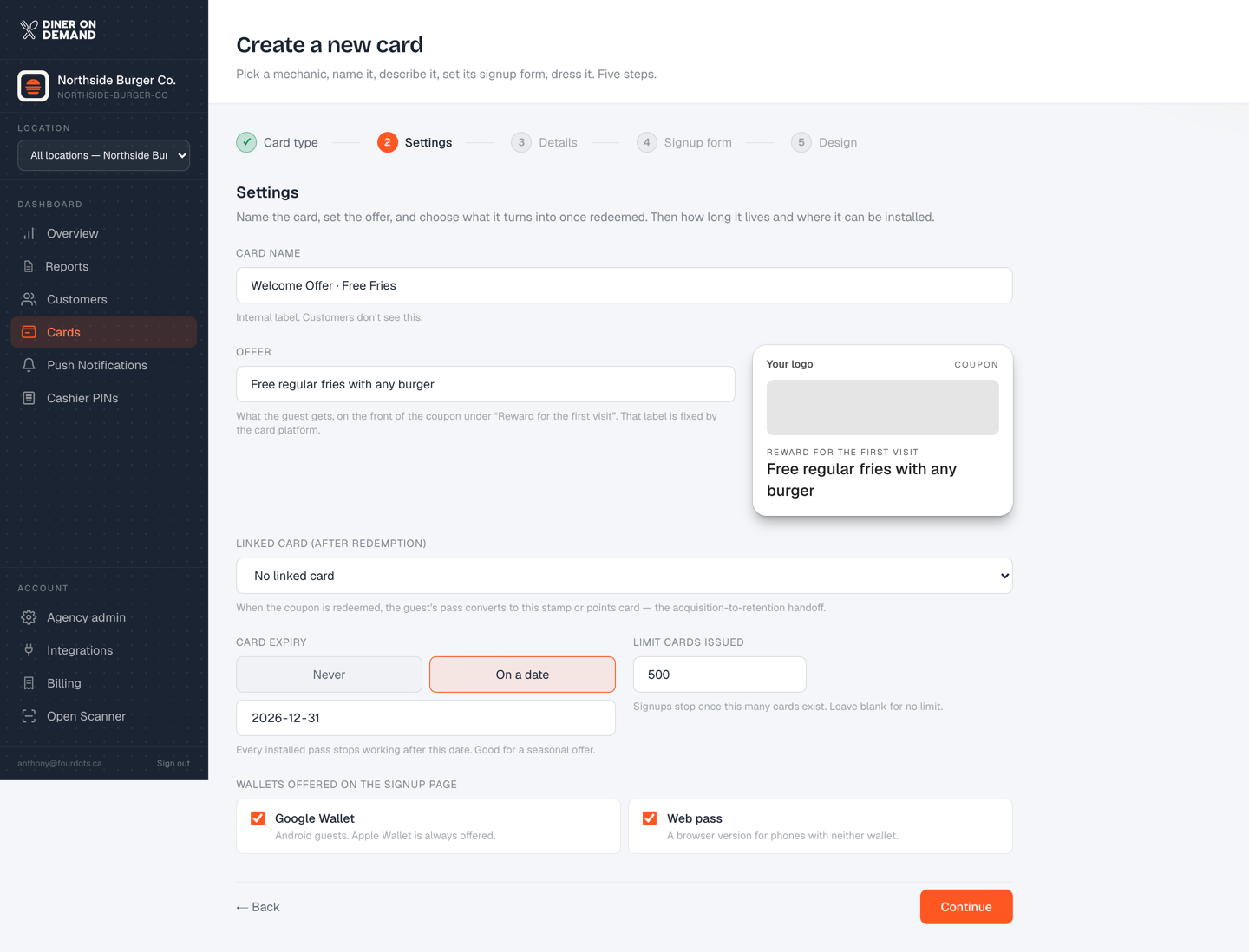
Card expiry
- Never. Passes stay valid until you retire the card. The right choice for your everyday stamp or points card.
- On a date. Every installed pass stops working after that date. Use it for a seasonal coupon, a launch offer or an event. Pick tomorrow or later.
Limit cards issued
Leave blank for no limit. Set a number and signups stop once that many cards exist. Useful for "first 500 guests" style promotions.
Wallets offered on the signup page
- Apple Wallet is always offered.
- Google Wallet for Android guests. Leave it on unless you have a reason not to.
- Web pass is a browser version for phones with neither wallet. Handy for older devices.
Signup page look
On step 3: show your card's logo above the signup form, and colour the page with the card's background colour instead of white. These two apply to the card platform's own install page, which older printed QR codes may still point to. Your Diner On Demand signup page always carries your logo and colour.
Still stuck? Email support@dinerondemand.com.