
Help centerGetting startedWelcome to Diner On Demand
Welcome to Diner On Demand
Diner On Demand turns a first visit into a regular. Guests get a loyalty card in their phone's wallet, your team scans it at the counter, and your dashboard shows what every card, campaign and location is actually worth.
This help center walks through everything you can do in the new dashboard, from creating a card to reading your monthly numbers. If you used the older card platform, the workflows here are different: simpler, and built around one question, "what is a captured customer worth to us?"
How the pieces fit together
- Cards. You create a coupon, stamp card or points card in a five-step wizard. Guests add it to Apple Wallet or Google Wallet.
- Signups. Guests join from your signup page, a QR code, a Meta lead ad, or your CRM. When texting is on, they get their card by text in seconds.
- The scanner. Your team logs in with a cashier PIN, scans the card, enters the ticket amount, and adds a stamp, points, or a redemption.
- The dashboard. Every scan feeds the Overview: new members, visits, revenue, average order value, repeat rate and customer lifetime value. Your coach leaves monthly notes on what to do next.
- Push and reports. Reach every wallet with a push notification, and share a live report link with a partner, a landlord or head office.
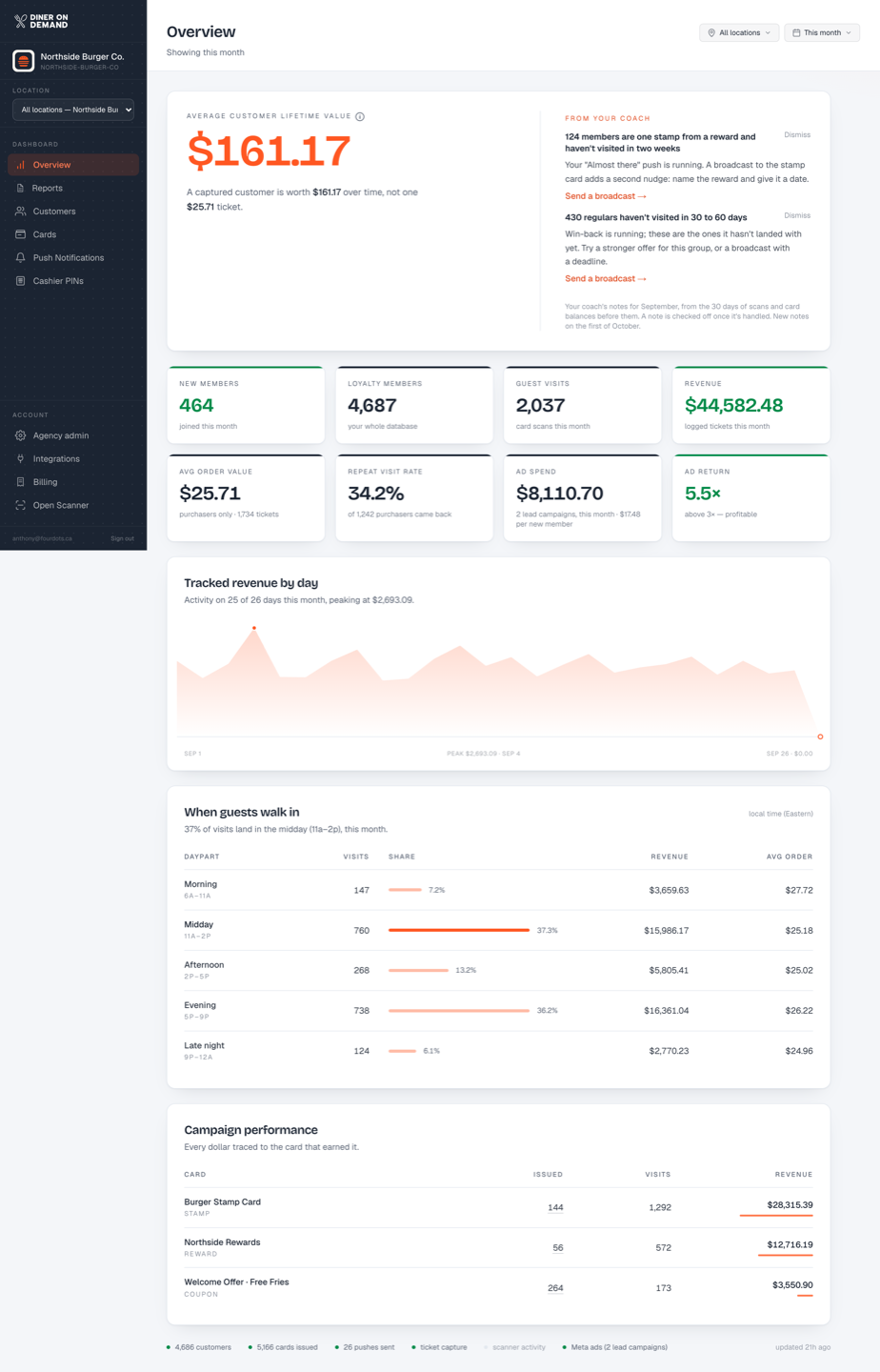
Where to start
- New to the dashboard? Read A tour of the dashboard.
- Setting up the counter? Read Creating cashier PINs and Starting a shift.
- Launching a card? Read Creating a card.
- Running more than one location? Read the Multi-location settings section.
Still stuck? Email support@dinerondemand.com.