
Help centerGetting startedA tour of the dashboard
A tour of the dashboard
The left-hand menu is the whole map. Everything is one click away, and each section has its own article in this help center.
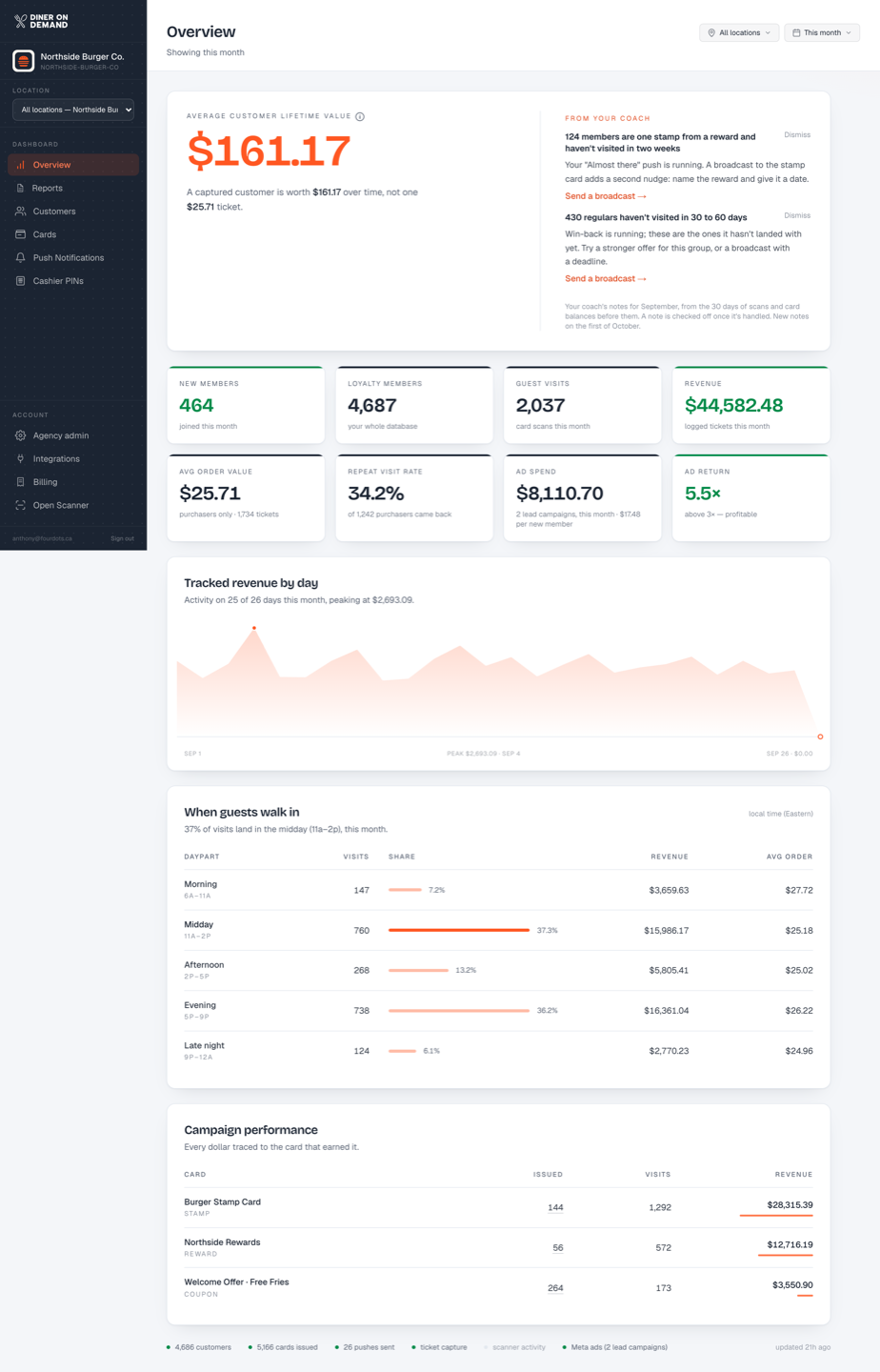
Dashboard
| Menu item | What it's for |
|---|---|
| Overview | Your numbers for the month: lifetime value, new members, visits, revenue, average order value, repeat rate, and cost per new member. Plus notes from your coach. See Reading the Overview. |
| Reports | Shareable report links for partners and head office, with CSV and PDF export. See Creating a shareable report. |
| Customers | Everyone with a card: name, phone, email, cards held, visits. See The customer directory. |
| Cards | Your coupons, stamp cards and points cards. Create, edit and share them. See Creating a card. |
| Push Notifications | Broadcasts to every wallet, automations, near-store messages, and history. See Sending a broadcast. |
| Cashier PINs | The six-character PINs your counter staff use in the scanner. See Creating cashier PINs. |
Account
| Menu item | What it's for |
|---|---|
| Integrations | Meta ads and lead forms, tracking pixels, and sending events to your CRM. See Connecting Meta ads. |
| White label | Your logo and colour on the scanner and the dashboard, and your own addresses for signup and card install pages. See Your logo and colour. |
| Billing | Your subscription, invoices and the card on file. See Your subscription and invoices. |
| Help center | This help center. |
| Open Scanner | Opens the counter scanner in a new tab. Staff sign in there with a PIN. |
On a multi-location brand, Integrations, White label and Billing are set once for the whole brand. They appear on the brand account, not on each location.
The location switcher
On a multi-location brand, a Location dropdown sits under your business name. Pick a location to see just that store, or All locations for the whole brand. The choice follows you through Overview, Customers and Reports.
Still stuck? Email support@dinerondemand.com.